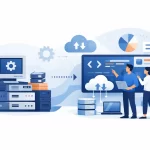
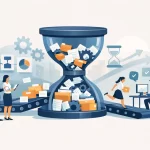
Tím zodpovedný za záväzky dostáva každý mesiac 20 000 faktúr. Niektoré prichádzajú vo formáte PDF, iné ako prílohy e-mailov alebo naskenované dokumenty a čoraz väčší podiel prichádza prostredníctvom portálov dodávateľov. Úloha nespočíva len v rýchlejšom prečítaní dokumentov. Ide o identifikáciu správnych údajov, ich overenie voči podnikovým systémom, riešenie výnimiek a spracovanie každej faktúry v rámci kontrolovateľného pracovného toku. Práve v tomto vytvárajú riešenia na automatizáciu spracovania dokumentov merateľnú hodnotu.
V podnikovom prostredí nie je automatizácia dokumentov len samostatnou investíciou do technológie OCR. Ide o prevádzkový model, ktorý slúži na premenu nestruktúrovaných a čiastočne štruktúrovaných obchodných dokumentov na spoľahlivé a využiteľné údaje. Ak je tento model správne navrhnutý, znižuje počet manuálnych zásahov, skracuje dĺžku cyklov, zlepšuje kontrolu a vytvára základ pre prevádzkové vykazovanie v reálnom čase.
Prečo spracovanie dokumentov stále spomaľuje prevádzku podnikov
Dokumenty sú často bodom, v ktorom sa inak digitálne procesy menia na manuálne. Objednávky, faktúry, dodacie listy, reklamácie, certifikáty kvality, zdravotné záznamy, zmluvy a zákaznícke formuláre prichádzajú v rôznych formátoch. Tímy musia kontrolovať polia, porovnávať informácie so záznamami v systémoch ERP alebo CRM, smerovať výnimky a schvaľovať dokumenty.
Náklady sú vyššie ako pri ručnom zadávaní údajov. Ručné spracovanie spôsobuje oneskorenia medzi oddeleniami, obmedzuje prehľad o pracovných frontách a sťažuje zistenie príčin neefektívneho priebehu procesu. Okrem toho so sebou prináša aj riziká. Nedodržanie platobnej lehoty, nesprávne bankové údaje dodávateľa alebo neoverená zmluvná doložka môžu mať finančné dôsledky a dôsledky z hľadiska dodržiavania predpisov.
Mnohé organizácie sa snažia tento problém riešiť nasadením bodového riešenia na extrakciu údajov alebo zavedením robotizovanej automatizácie procesov pri jednotlivých úlohách. Tieto snahy môžu priniesť rýchle výsledky, často však narazia na prekážky, keď sa zmenia typy dokumentov, vstupné údaje sú nespoľahlivé alebo výnimky vyžadujú znalosť obchodného kontextu. Automatizácia vo veľkom meradle si vyžaduje viac než len rozpoznávanie textu na stránke.
Čo zahŕňajú efektívne riešenia na automatizáciu spracovania dokumentov
Škálovateľné riešenie spája viacero funkcií do jedného riadeného pracovného toku. Presná architektúra závisí od procesu, objemu dokumentov, regulačných požiadaviek a existujúceho technologického prostredia. Kľúčové komponenty sú však vždy rovnaké.
Inteligentné zachytávanie a klasifikácia
Proces začína zberom dokumentov z kanálov, ktoré spoločnosť skutočne využíva: e-mailové schránky, portály, zdieľané priečinky, podnikové aplikácie, naskenované dokumenty alebo elektronická výmena údajov. Systém následne identifikuje typy dokumentov a oddelí relevantné stránky alebo prílohy.
Tento krok klasifikácie je dôležitý, pretože objednávka, faktúra a potvrdenie o dodaní môžu obsahovať podobné polia, ale spúšťať rôzne obchodné pravidlá. Riešenie, ktoré iba extrahuje text bez spoľahlivej identifikácie dokumentu a jeho účelu, prenáša túto záťaž späť na prevádzkové tímy.
Extrakcia údajov s kontrolami spoľahlivosti
Moderná extrakcia kombinuje technológie OCR, strojového učenia a modelov umelej inteligencie na zachytenie údajov, ako sú názov dodávateľa, číslo faktúry, položky faktúry, dátumy, súčty, informácie o zákazníkoch a referenčné čísla. Cieľom však nie je len presnosť extrakcie. Systém musí uvádzať úrovne spoľahlivosti a výsledky s nízkou spoľahlivosťou smerovať na kontrolu.
Pri procesoch s veľkým objemom by sa priame spracovanie malo vyhradiť pre dokumenty, ktoré spĺňajú stanovené prahové hodnoty kvality. Dokumenty s nejednoznačnými hodnotami, chýbajúcimi odkazmi alebo nezvyčajným rozložením by mali byť zaradené do fronty výnimiek, pričom príslušné informácie by mali byť už pripravené na rozhodnutie človeka. Práve v tomto prípade automatizácia chráni kvalitu namiesto toho, aby len urýchľovala vznik chýb.
Overenie voči obchodným údajom a pravidlám
Hodnota podniku vzniká pri porovnaní extrahovaných údajov so systémami, v ktorých sú údaje zaznamenané. V prípade faktúry to môže znamenať porovnanie údajov o dodávateľovi, informácií o objednávke, údajov o príjme tovaru, daňových pravidiel a schvaľovacích limitov. V prípade poistnej udalosti to môže zahŕňať overenie rozsahu poistného krytia, histórie zákazníka a požadovanej dokumentácie.
Táto vrstva zároveň odhaľuje problémy s údajmi, ktoré sa často mylne považujú za zlyhania automatizácie. Duplicitné záznamy o dodávateľoch, nejednotné konvencie pomenovania, chýbajúce kmeňové údaje a nejasné pravidlá schvaľovania znižujú mieru automatizácie bez ohľadu na zvolenú technológiu. Oprava procesov a údajov musí byť preto súčasťou rozsahu implementácie.
Koordinácia pracovných postupov a riadenie výnimiek
Dokument by nemal zmiznúť v automatizovanej „čiernej skrinke“. Zodpovední za procesy potrebujú jasné pravidlá smerovania, pracovné fronty založené na rolách, postupy eskalácie a kompletné auditové stopy. Výnimky by mali byť kategorizované tak, aby tímy mohli rozlíšiť chýbajúcu objednávku od neplatného daňového kódu alebo podozrenia na duplicitnú faktúru.
Postupom času sa tieto údaje o výnimkách stávajú cenným nástrojom pre manažment. Ukazujú, či dodávatelia potrebujú lepšie zaškolenie, či konkrétna obchodná jednotka generuje nekvalitné požiadavky alebo či niektorá smernica spôsobuje zbytočné schvaľovacie cykly. Najlepšie automatizačné programy využívajú tieto poznatky na zlepšenie procesu, a nie len na riešenie jeho príznakov.
Začnite s procesom, nie s nástrojom
Najčastejšou chybou pri implementácii je automatizácia súčasného procesu presne v tej podobe, v akej existuje. Ak pracovný postup obsahuje duplicitné kontroly, nejasné odovzdávanie úloh, zbytočné schvaľovania alebo manuálne riešenia problémov s nekvalitnými údajmi, automatizácia môže síce urýchliť neefektívny proces, ale nezlepší ho.
Dôsledná fáza návrhu mapuje priebeh spracovania dokumentu od prijatia až po konečné odoslanie, platbu, rozhodnutie alebo archiváciu. Identifikuje objemy podľa typu dokumentu, zdrojov odchýlok, obchodných pravidiel, systémových závislostí, kategórií výnimiek a požiadaviek na kontrolu. Stanovuje tiež východiskovú úroveň: aktuálnu dobu spracovania, frekvenciu zásahov, mieru chybovosti, počet nevybavených prípadov, náklady na transakciu a výkonnosť na úrovni služieb.
Táto analýza určuje, kde je automatizácia vhodná. Vysoko štandardizované faktúry so spoľahlivými odkazmi na objednávky môžu byť vhodné na takmer úplné priame spracovanie. Preskúmavanie zmlúv alebo komplexná lekárska dokumentácia si môžu vyžadovať väčší ľudský dohľad, pretože interpretácia a posúdenie z hľadiska predpisov zostávajú kľúčové. Cieľom nie je vylúčiť ľudí z každého kroku. Ide o to, aby sa odborná pozornosť venovala tam, kde má najvyššiu hodnotu.
Vytvorte architektúru, ktorá je škálovateľná
Riešenie na automatizáciu dokumentov musí fungovať v rámci podnikového prostredia, nie vedľa neho. To znamená, že už od začiatku je potrebné navrhovať integrácie s platformami ERP, CRM, obstarávania, správy obsahu, pracovných postupov a analytiky. Znamená to tiež určiť, ktorý systém je vlastníkom jednotlivých dátových prvkov a ako sa synchronizujú aktualizácie.
Škálovateľná architektúra oddeľuje komponenty zberu, extrakcie, validácie, pracovných postupov a vykazovania, takže zmeny v procesoch nevyžadujú prestavbu celého riešenia. Spoločnosť môže napríklad zaviesť nový portál pre dodávateľov alebo prevziať firmu, ktorá používa iný ERP systém. Modulárna konštrukcia uľahčuje prispôsobenie kanálov prijímania údajov a integrácií bez narušenia kľúčových kontrolných mechanizmov.
Rovnako dôležitá je aj správa a riadenie. Organizácie by mali pred nasadením definovať zásady uchovávania údajov, prístupové práva, požiadavky na audit, očakávania týkajúce sa umiestnenia údajov, monitorovanie modelov a zodpovednosť za schvaľovanie. Extrakcia s podporou umelej inteligencie môže zlepšiť výkonnosť pri spracovaní rôznorodých dokumentov, mala by však prebiehať v rámci definovaných prahov spoľahlivosti a zásad ľudského preskúmania. V prípade citlivých alebo regulovaných procesov sú vysvetliteľnosť a vysledovateľnosť prevádzkovými požiadavkami, nie voliteľnými funkciami.
Merajte výsledky, na ktorých záleží
Miera automatizácie môže byť zavádzajúca, ak sa posudzuje izolovane. Vysoký podiel automaticky spracovaných dokumentov má len malú hodnotu, ak sa výnimky riadia nedostatočne, kvalita údajov klesá alebo používatelia vytvárajú obchádzkové riešenia mimo pracovného toku.
Účinnejší systém merania sleduje prevádzkové aj obchodné výsledky súčasne. Medzi kľúčové ukazovatele zvyčajne patria dĺžka cyklu, miera priameho spracovania, miera manuálnych zásahov, presnosť extrakcie údajov, objem výnimiek podľa príčiny, náklady na dokument, vek nevybavených požiadaviek a dodržiavanie úrovní služieb. Finančné tímy môžu tiež sledovať využívanie zliav za včasnú platbu, prevenciu duplicitných platieb alebo počet dní, po ktoré sú pohľadávky nezaplatené. Vedúci prevádzky sa môžu zamerať na priepustnosť, vyvažovanie pracovného zaťaženia a doby odozvy.
Najužitočnejšie prehľadové panely spájajú tieto ukazovatele so zodpovednosťou za procesy. Ak sa zvýši počet výnimiek, vedúci pracovníci by mali byť schopní zistiť, či problém vyplýva z dodávateľa, typu dokumentu, kanála prijímania, integrácie systémov alebo obchodného pravidla. Vďaka prehľadu v reálnom čase sa spracovanie dokumentov mení z back-office činnosti na riadenú disciplínu zameranú na výkonnosť.
Praktický postup od pilotnej fázy k podnikovému rozsahu
Pilotný projekt by mal preukázať zmysluplnú obchodnú opodstatnenosť, a nie len ukázať, že model dokáže prečítať dokument. Vyberte proces s veľkým objemom, ktorý má jasné problémové miesta, merateľnú východiskovú výkonnosť, dostupné zdrojové údaje a angažovaného vlastníka procesu. Vyhnite sa výberu najjednoduchšieho typu dokumentu, ak predstavuje príliš malú časť prevádzkovej záťaže.
Prvá verzia by mala vytvoriť základné prvky, ktoré bude možné opakovane využívať: schémy prijímania údajov, štandardy extrakcie, pravidlá validácie, pracovné postupy pre výnimky, bezpečnostné kontroly, metódy integrácie a prehľady výkonnosti. Akonáhle budú tieto prvky zavedené, bude možné rýchlejšie a s nižšou náročnosťou na údržbu začleniť ďalšie typy dokumentov a obchodné jednotky.
Spoločnosť Ective pristupuje k tejto práci ako k integrovanému transformačnému programu, ktorý spája prepracovanie procesov, dátovú architektúru, možnosti umelej inteligencie, zavádzanie automatizácie a meranie prevádzkových ukazovateľov. Táto kombinácia je kľúčová v prípade, že cieľom je vytvorenie trvalej podnikovej kapacity, a nie len obmedzený experiment s automatizáciou.
Úspešná iniciatíva v oblasti spracovania dokumentov mení otázky, ktoré si kladú vedúci pracovníci. Namiesto toho, aby sa pýtali, koľko dokumentov dokáže tím spracovať, môžu sa pýtať, prečo dochádza k výnimkám, kde sú obmedzenia kapacity a ktoré rozhodnutia na predchádzajúcich úrovniach zlepšia výkonnosť. Práve v tomto bode automatizácia začína prinášať nielen rýchlosť, ale aj kontrolu.